Free Passport Photo Maker
Crop your photo to official UK, US and EU passport sizes at 300 DPI — with a head-position guide. Free, in your browser, no upload.
Drag & drop a photo, or click to choose
Use a front-facing photo against a plain, light background — processed entirely in your browser
100% private — your photo never leaves your device. Cropping happens in your browser.
Official passport photo rules
Passport photos are rejected more often than almost any other part of an application, usually for simple, avoidable reasons. The rules below summarise the main requirements — but rules change, so always confirm against the official guidance (GOV.UK for the UK, travel.state.gov for the US, or your national authority in the EU) before you submit.
🇬🇧 United Kingdom
- 35 × 45 mm (413 × 531 px @ 300 DPI)
- Head 29–34 mm chin to crown (roughly 70% of the frame)
- Plain light grey or cream background
- Neutral expression, mouth closed, eyes open
- No glasses glare; no head covering unless religious/medical
🇺🇸 United States
- 2 × 2 in (600 × 600 px @ 300 DPI)
- Head 1–1⅜ in (25–35 mm) chin to crown
- Plain white or off-white background
- Neutral expression or natural smile, both eyes open
- Glasses are not allowed (limited medical exceptions)
🇪🇺 EU / Schengen
- 35 × 45 mm (413 × 531 px @ 300 DPI)
- Face 70–80% of the photo height
- Plain light background (varies by country)
- Neutral expression, looking straight at the camera
- Even lighting, no shadows on face or background
Tips for taking the photo
- Use daylight. Face a window so light falls evenly on your face. Avoid overhead lights that cast shadows under your eyes.
- Stand away from the wall. Half a metre of distance stops your shadow appearing on the background.
- Camera at eye level. Ask someone to take the photo from about 1.5 metres away — selfies at arm's length distort your face.
- Keep it recent. Most authorities require the photo to have been taken within the last month (UK) or six months (US).
- Don't edit your face. Filters, retouching and red-eye removal can all cause rejection. Cropping and resizing (what this tool does) is fine.
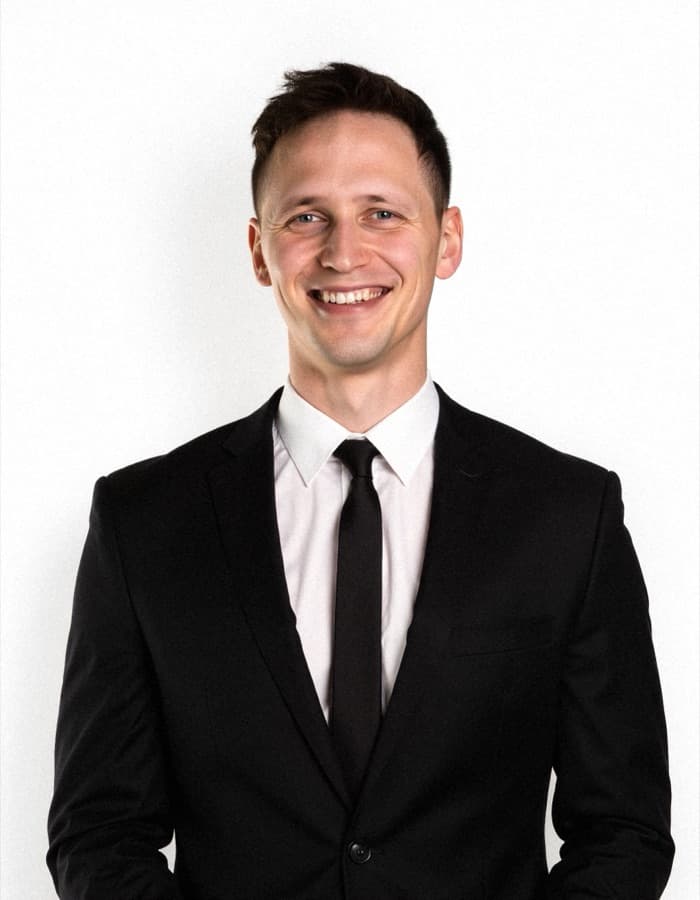
No good photo to start with? Let AI take it.
Upload a few casual selfies and our AI Passport Photos pack generates clean, compliant-style ID photos with perfect lighting and a neutral background — no photographer, no photo booth queue.
Try AI Passport Photos →Frequently asked questions
Is this passport photo tool free?
Yes, completely free — no watermark, no sign-up. Cropping happens in your browser, so your photo never leaves your device.
What size is a UK passport photo?
A UK passport photo is 35mm wide by 45mm tall. For digital applications that is 413 × 531 pixels at 300 DPI, which is exactly what this tool exports. Your head (chin to crown) should be between 29mm and 34mm of the photo height.
What size is a US passport photo?
A US passport photo is 2 × 2 inches (51 × 51mm), or 600 × 600 pixels at 300 DPI. Your head should measure between 1 and 1 3/8 inches (25–35mm) from chin to crown.
What background do I need?
UK and EU applications require a plain, light-coloured background (light grey or cream for the UK). The US requires plain white or off-white. Stand about half a metre in front of the wall to avoid shadows. If your background isn't plain, try our free background remover first.
Will this photo definitely be accepted?
This tool crops to the correct official dimensions, but acceptance also depends on lighting, expression, background and image quality. Always double-check the current rules on the official government website (GOV.UK, travel.state.gov, or your national authority) before submitting.
Want professional photos of yourself?
Beyond passport photos — CVPIC turns your selfies into studio-quality headshots, LinkedIn photos and portraits. Trained on you, ready in under 2 hours.